
To allow our team to manage your Facebook and Instagram advertising, please add team@bridgefractional.com to your Meta Business Portfolio and assign the appropriate business assets.
1. Open Meta Business Settings
Go to business.facebook.com and sign in with the Facebook account that has full control of your business.
Make sure you are viewing the correct Business Portfolio before continuing.
2. Open People Settings
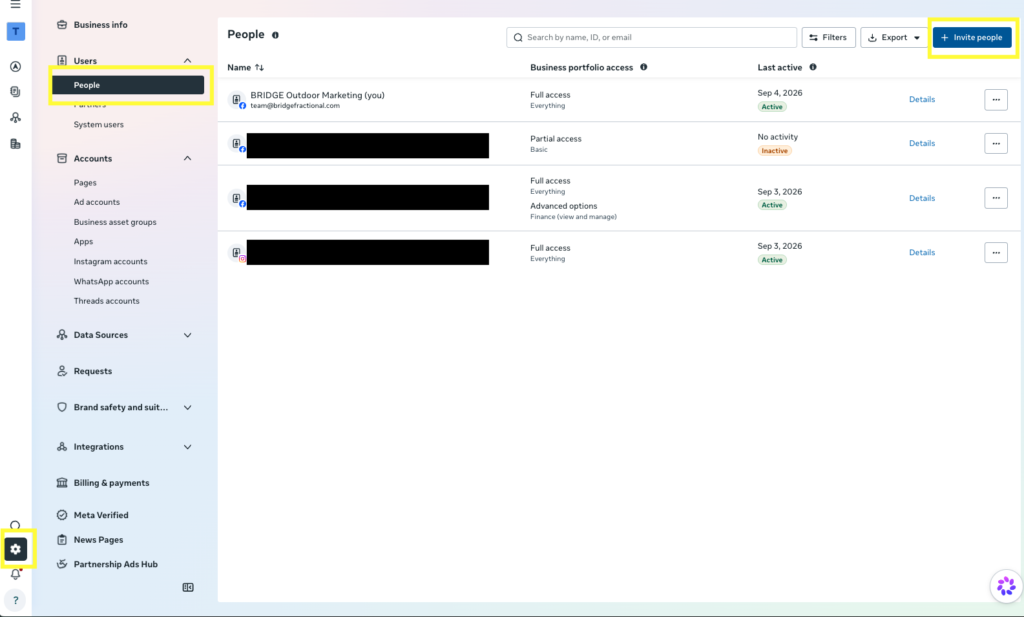
In Meta Business Suite:
- Open Settings.
- Click People in the left-hand menu.
- Click Invite people.
If you do not see the People section or cannot invite someone, your account may not have full control of the Business Portfolio.
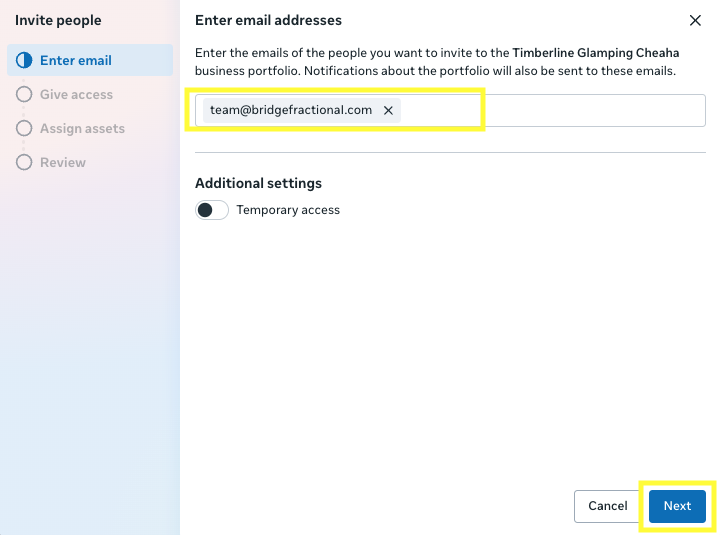
3. Enter Our Email Address
Enter: team@bridgefractional.com
Then click Next.
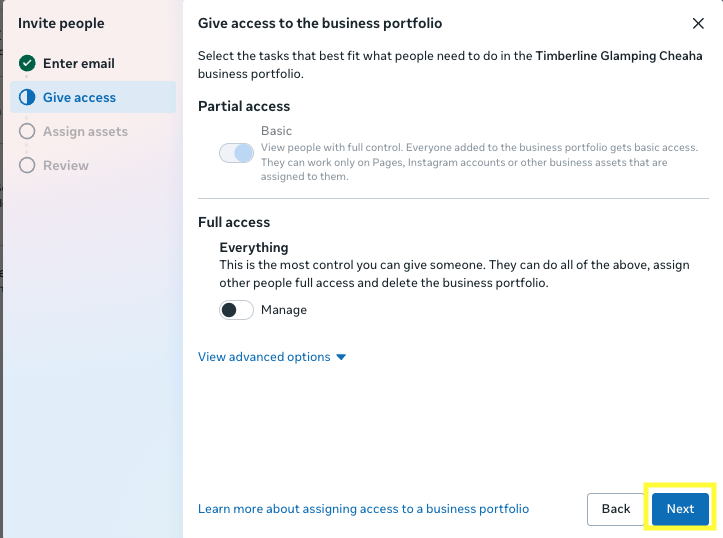
4. Choose Business Portfolio Access
Select Basic access unless we have specifically asked you for full control.
Basic access allows us to work with the individual business assets you assign without giving us full administrative control over your entire Business Portfolio.
Then click Next.
5. Assign Business Assets
Select the assets you would like Bridge Fractional to manage.
For most advertising clients, please assign:
- Facebook Page
- Instagram Account
- Ad Account
If other assets are relevant to your setup, such as a Pixel, Dataset, Catalog or other advertising asset, you may assign those as well.
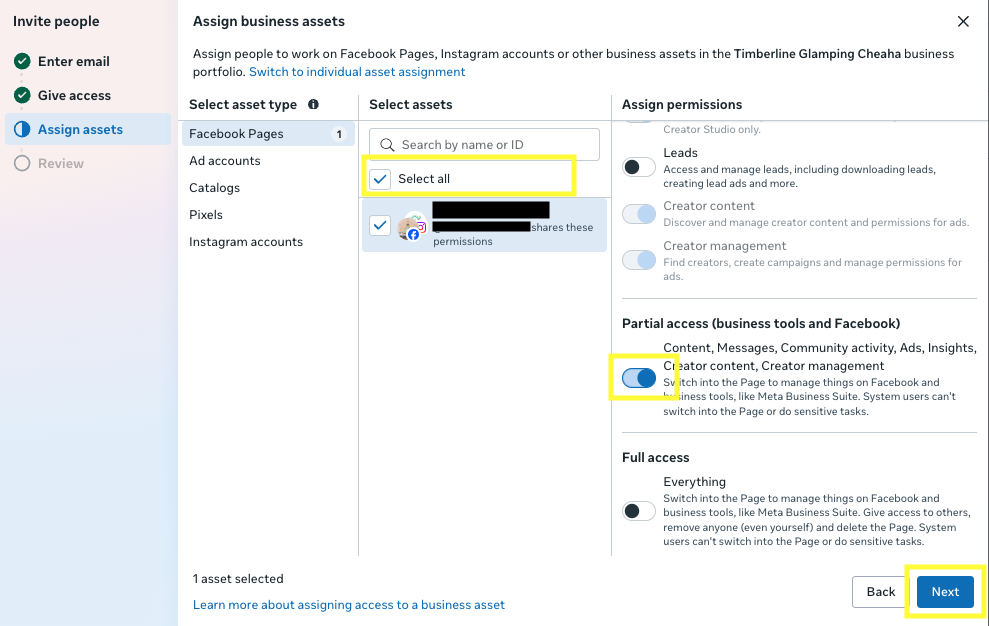
6. Give Us the Needed Permissions
For each asset, enable the permissions needed to manage your advertising.
Facebook Page
Give us permission to manage the Page activities needed for advertising, including creating and managing ads.
You generally do not need to give us full control of the Page.
Instagram Account
Give us access to manage advertising and other Instagram activity required for your campaigns.
Ad Account
Enable permission to:
- View campaigns
- Create and manage ads
- Edit campaigns and budgets
- View performance
- Manage advertising activity
If Meta gives you an option such as Manage campaigns, select it.
We generally do not need full control of your Business Portfolio unless we specifically request it for account setup or troubleshooting.
7. Send the Invitation
Once the appropriate assets and permissions are selected, click Invite.
Once we accept the invitation, we’ll have access to the assets you assigned.
Having Trouble Adding Us?
A few common issues can prevent you from inviting users:
- You may not have full control of the Business Portfolio.
- Your email address may still need to be verified with Meta.
- Your Facebook account or Business Portfolio may have a restriction.
- Another administrator may need to approve the request.
- The Page, Instagram account or Ad Account may belong to a different Business Portfolio.
If you cannot assign one of the assets, check that the asset has first been added to or claimed by the correct Business Portfolio.